Six Errors Cause 96% of Accessibility Failures. Content Editors Can Prevent Most of Them.

Table of Contents
Every agency website has dozens of people who can change it. Department liaisons post meeting notices, communications staff update the news, and program managers upload the flyers and forms residents rely on. Each of those updates is a small accessibility decision, and together they decide whether a site stays at WCAG 2.1 Level AA after the remediation work is finished. That puts accessibility for content editors at the center of staying compliant.
With 161 days left before the April 26, 2027 Title II compliance date for public entities serving 50,000 or more, it’s worth looking closely at where accessibility errors actually come from. The data points to a group of people who rarely get invited to accessibility planning meetings: content editors.
What are the most common web accessibility errors?
WebAIM’s 2026 Million report detected 56,114,377 accessibility errors across the top one million home pages, and six issue types accounted for 96% of them. Low-contrast text appeared on 83.9% of pages, followed by missing alternative text, missing form labels, empty links, empty buttons, and missing document language (WebAIM).
| Error type | Share of home pages | Where it usually starts |
|---|---|---|
| Low-contrast text | 83.9% | Color choices in designs, banners, and text placed over images |
| Missing alternative text | 53.1% | Images uploaded by editors without a description |
| Missing form input labels | 51.0% | Forms built in the CMS or embedded from third-party tools |
| Empty links | 46.3% | Linked icons and images with no text, added by editors or developers |
| Empty buttons | 30.6% | Icon-only buttons in templates and components |
| Missing document language | 13.5% | Page templates and uploaded documents |
Error shares: WebAIM Million, 2026. “Where it usually starts” reflects Promet Source audit experience and is included to help teams assign ownership. For county websites specifically, see my earlier review of the most common accessibility errors on county sites.
How many accessibility errors come from content editors?
At least three of the six most common errors, low contrast, missing alternative text, and empty links, often begin in routine publishing. WebAIM counted an average of 56.1 errors per home page in 2026, a 10.1% increase over 2025, and everyday content updates are one of the ways those errors return after a fix.
Government sites start from a stronger position. WebAIM found that .gov home pages averaged 18.5 errors, about two-thirds fewer than the overall average. Even so, when a University of Arizona researcher tested all 50 U.S. state government homepages for a 2026 study, every homepage had at least one detectable issue, and color contrast failures averaged 8.4 per page.
Editors and other content creators care about getting this right, and most simply haven’t been shown what a screen reader announces when it reaches an image with no description, or why “click here” confuses someone who hears every link on a page read out of context. Those are learnable habits, and they’re the fastest ones to change.
What should web content editors check for accessibility before publishing?
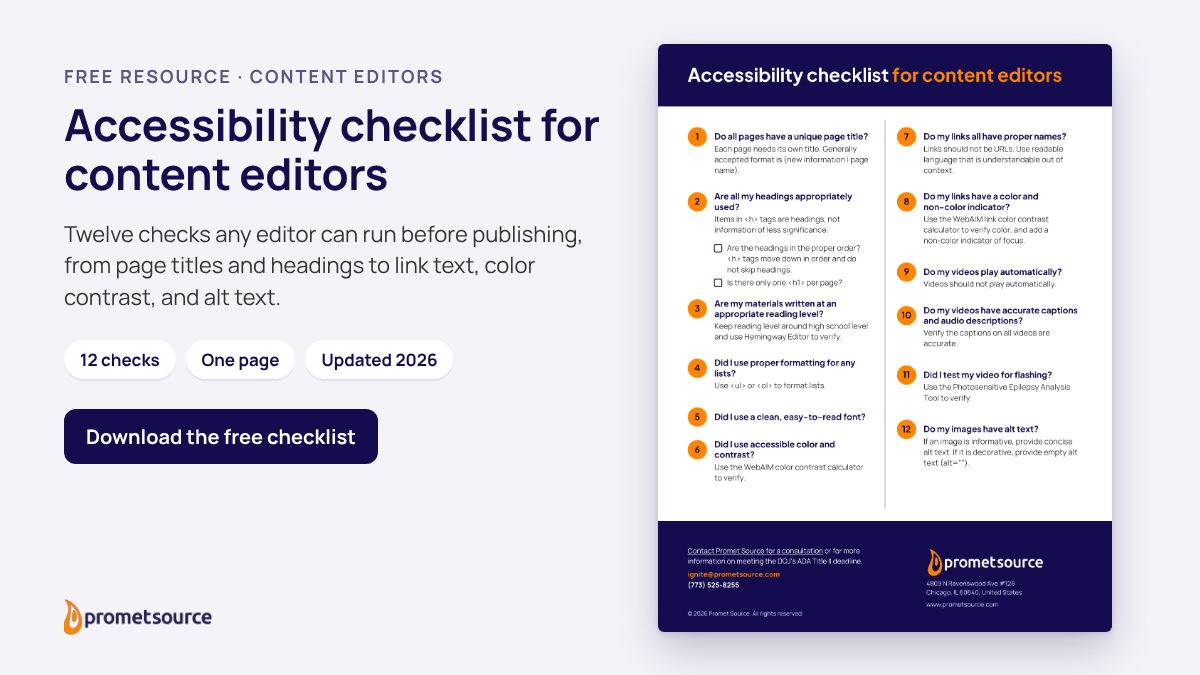
A short pre-publish routine catches many content-level WCAG 2.1 Level AA issues before residents see them. Promet Source’s checklist for content editors covers 12 checks, from unique page titles and heading order to link text, color contrast, video captions, and image alt text, all things an editor controls without a developer.
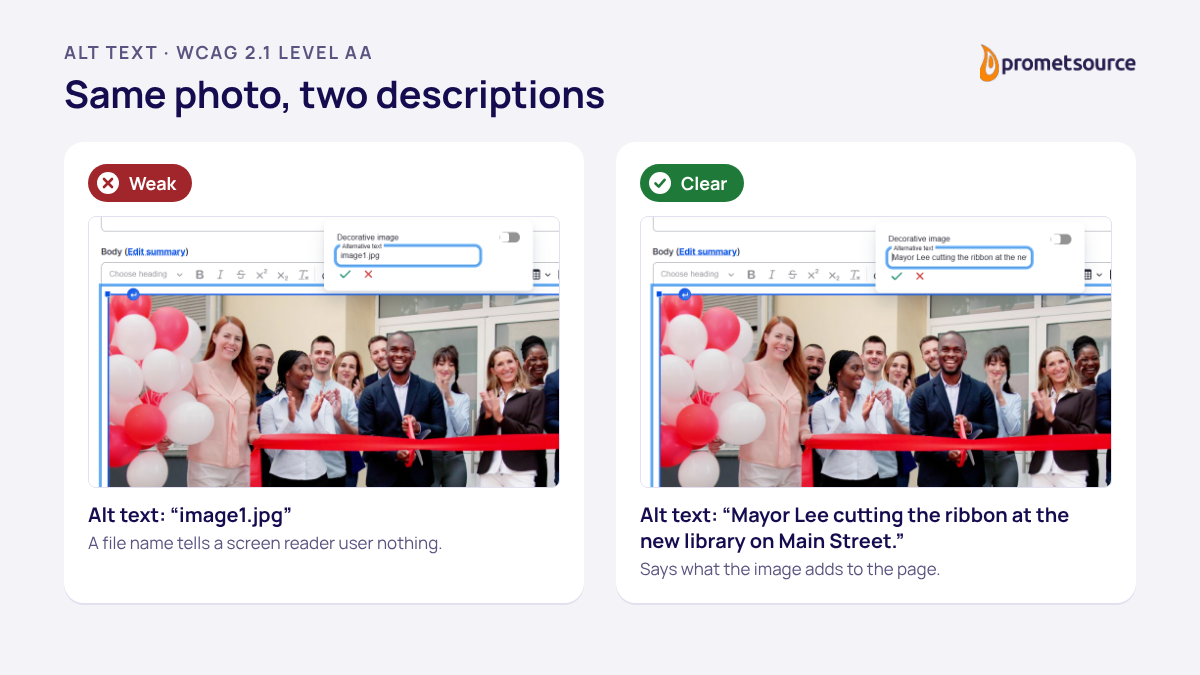
- Describe what each image communicates. Write alternative text that tells a reader what the image adds to the page, and mark purely decorative images as decorative so screen readers skip them.
- Make every link say where it goes. “Download the 2027 budget summary (PDF)” works on its own; “click here” leaves the reader guessing.
- Use real headings in order. Apply the CMS heading styles (H2, then H3) in the WYSIWYG editor instead of bold text, so screen reader users can scan the page the same way sighted readers do.
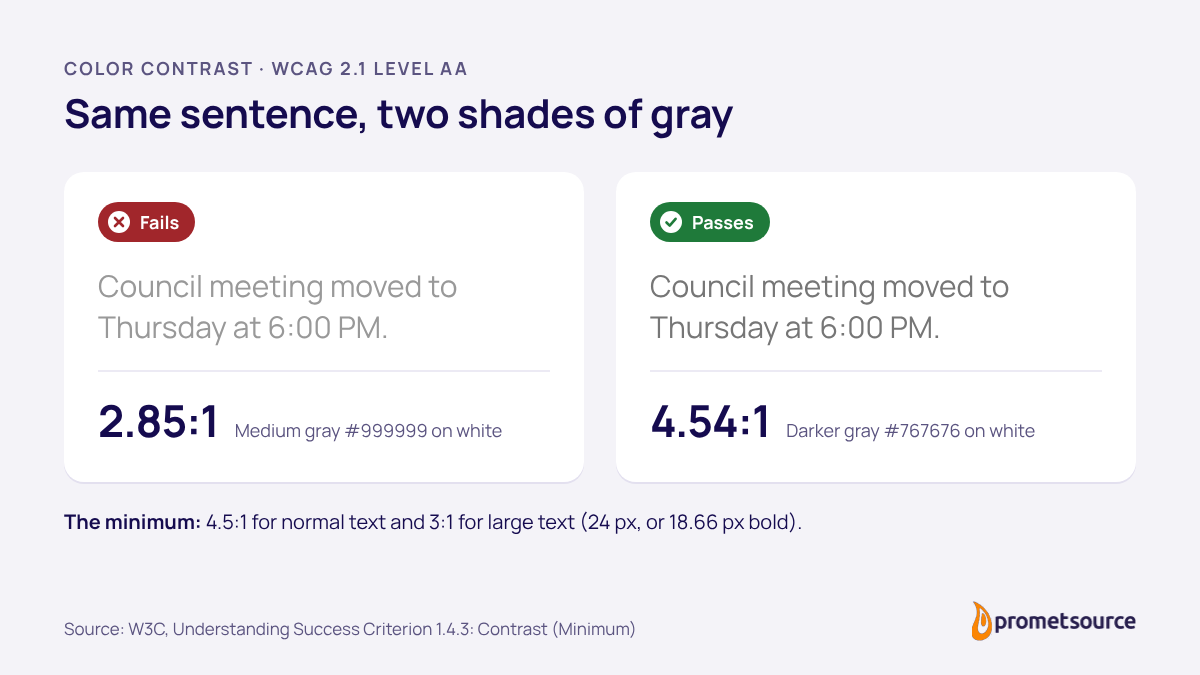
- Check contrast before you publish. The Web Content Accessibility Guidelines WCAG 2.1 ask for a contrast ratio of at least 4.5:1 for normal text and 3:1 for large text (W3C), which rules out light gray text and most text placed over photos.
- Treat documents as web content. A PDF on your site is covered by the Title II rule too. Build accessibility into the source file, using the accessibility features in Word or your authoring tool, or publish the information as a web page when you can.
- Write in plain, inclusive language. Accessible writing keeps sentences short and terms familiar, which helps people with disabilities and anyone skimming on a phone.
Why does editor training matter for Title II compliance?
Editor training keeps remediation from being undone. The DOJ’s April 2026 rule found that generative AI “does not yet reliably automate the remediation of inaccessible content at scale,” so the people publishing content remain the most reliable safeguard for WCAG 2.1 Level AA after launch (91 FR 20902).
When I shared PDF accessibility earlier this year, I put it this way: if your team doesn’t know how to create accessible documents from the start, you’ll be remediating forever. Training is the only investment that compounds. That is even more true for web pages, which change far more often than a document library. Building content creation habits with accessibility in mind from the start costs far less than fixing the same pages later.
Training also protects the budget. Remediation dollars go furthest on the code-level issues that need a developer, such as form labels and icon buttons in shared templates. When editors handle alt text, link text, headings, and contrast on their own, specialists can spend their hours on the fixes only they can make. For teams that want hands-on help, contact Promet Source for web accessibility training for content editors.
Frequently asked questions about accessibility for content editors
What is the most common web accessibility error?
Low-contrast text. WebAIM’s 2026 Million report found it on 83.9% of the top one million home pages, ahead of missing alternative text at 53.1%. WCAG 2.1 Level AA guidelines asks for a contrast ratio of at least 4.5:1 for normal text and 3:1 for large text.
Are PDFs covered by the ADA Title II rule?
Yes. The DOJ’s Title II rule covers web content a public entity provides, including documents such as PDFs, with limited exceptions for some archived content and preexisting documents that are not used to access current services. A PDF residents need for a current service, such as a permit application, has to meet WCAG 2.1 Level AA.
Can AI fix accessibility errors automatically?
Not reliably at scale yet. In its April 2026 rule, the DOJ found that generative AI “does not yet reliably automate the remediation of inaccessible content at scale” (91 FR 20902). Automated tools help find common errors quickly, and trained people still review and fix them.
The people who keep a site compliant
Remediation brings a site up to the standard, and the people who publish to it every day keep it accessible to everyone who relies on it. Inclusive design in the templates gives editors a strong starting point, and a shared checklist helps them publish accessible content with every update. That checklist is one of the lowest-cost steps an agency can take between now and April 26, 2027, and it makes every dollar spent on code-level fixes last longer.
Give every editor the same 12-point routine.
Download the Web Accessibility Checklist for Content Editors
Ashley Burns, CPACC, is a Senior Account Manager at Promet Source and an IAAP-certified accessibility professional. She works with state and local government and higher education teams to plan Title II accessibility work that fits their budgets, staffing, and publishing schedules, and she writes regularly about WCAG and document accessibility on the Promet Source blog.


Get our newsletter
Get weekly Drupal and AI technology advancement news, pro tips, ideas, insights, and more.